Add Muscle to Video with AI
Upload an existing clip — not a still photo — and give the person clearer athletic muscle: fuller shoulders, chest and arms that read on a phone screen, without swapping the face or rewriting the walk.
See the muscle edit
Same person — Athletic/Bodybuilder strength. Demo stills are temporary reference looks.
Before
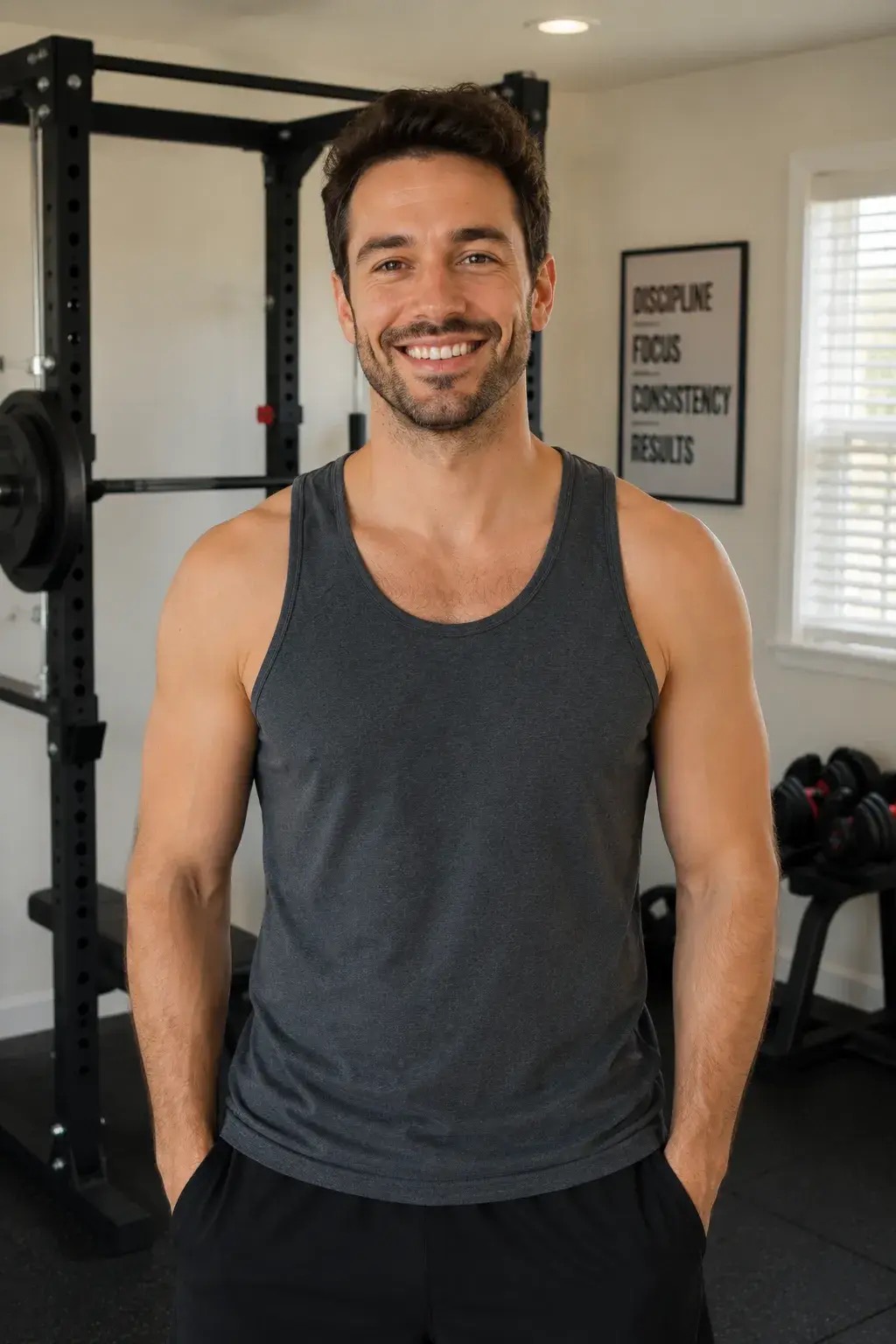
After
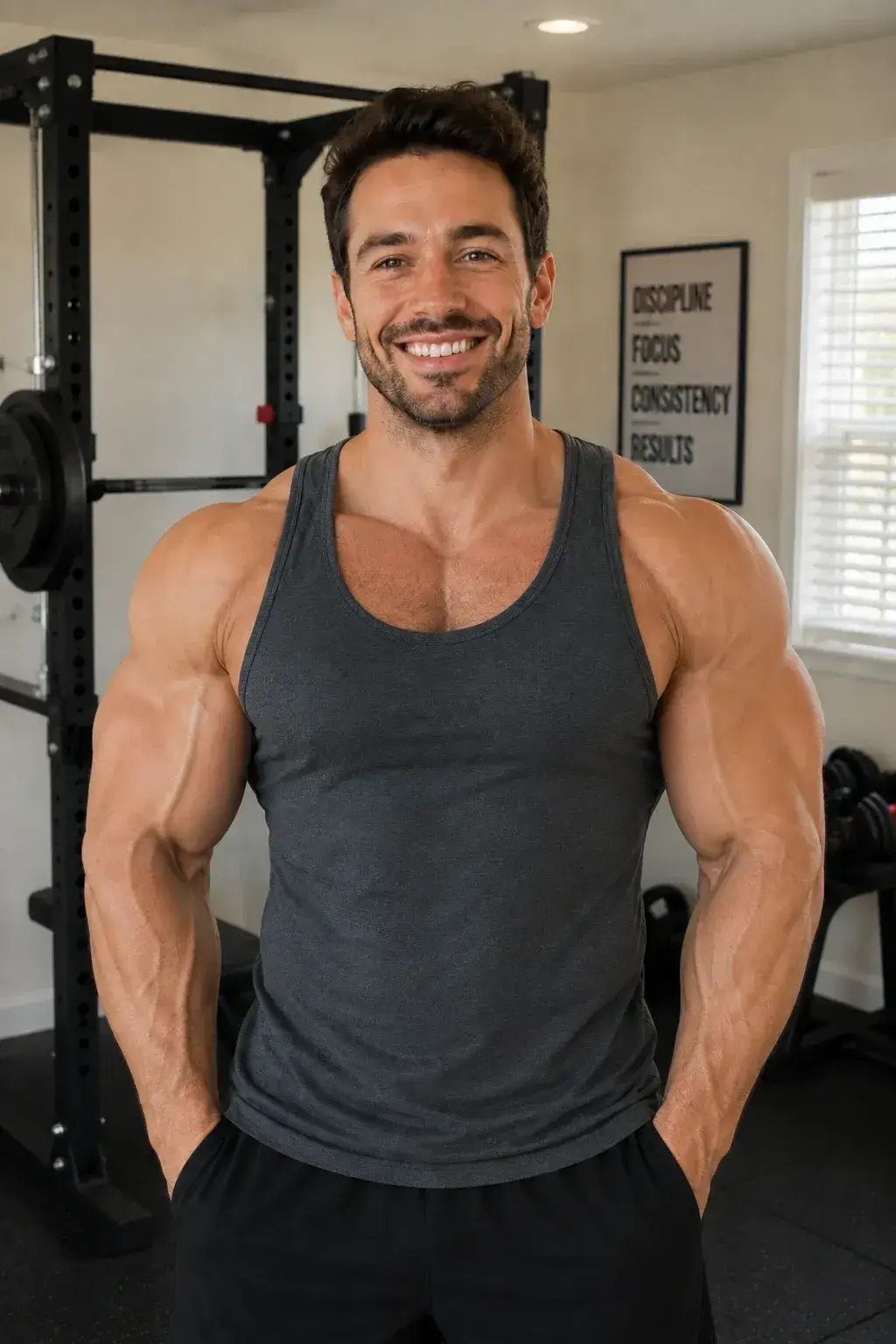
What is AI muscle video editing?
AI muscle video editing changes physique inside footage you already shot. The motion, framing, clothes and background stay; shoulders, arms and chest get a clearer fitness-athlete look. That is different from an AI muscle generator that starts from one photo and invents a gym flex meme — that photo effect lives on our separate AI Muscle page.
How AI muscle video editing works
- 1
Upload a short video
MP4 or MOV, about 2 to 10 seconds. A clip where the upper body is visible under a fitted shirt works best — baggy coats leave the model nothing to reshape.
- 2
Pick a look
Tap Athletic, Defined, Strong athletic, or Bodybuilder lean — or type your own. Stronger chips push a clearer phone-screen difference.
- 3
Generate the edit
A 2-second preview is 18 credits; the full 5 seconds is 40. Face, walk, clothes and scene stay locked.
- 4
Download and compare
Open the before/after side by side on your phone. If it undershoots, tap a stronger chip (Defined → Strong athletic → Bodybuilder lean) and generate again.
Why use AI muscle video editing on Make AI Video
Video in, not photo in
Built for an existing moving clip. The separate AI Muscle page is the photo-to-flex meme if that is what you want.
Selectable strength
Athletic → Defined → Strong athletic → Bodybuilder lean. Pick a chip so you are not guessing how hard the edit should push.
Identity and motion locked
Same face, hairstyle, clothes, camera path and timing. Only the physique read changes.
Clear credits before you start
Preview 18 credits (2s), full pass 40 credits (5s). Failed runs are not charged. New accounts get 18 free credits.
What people use AI muscle video editing for
Fitness and gym clips
Polish a walk-in or form-check clip so the physique reads stronger without restyling the whole scene.
Creator before/after posts
Pair the original take with the edited pass for a scroll-stopping comparison.
Character and costume tests
Push an athletic look on a take you already like before you reshoot.
Specs for AI muscle video editing
- You provide
- 1 video (MP4, MOV, WebM) + a prompt (optional)
- You get back
- An MP4 you can download and post anywhere
- Aspect ratio
- 16:9, 9:16 or 1:1
- Length
- 5, 8 or 10 seconds
- Resolution
- 720p or 1080p
- Cost
- 18 credits for a 2s preview, 40 for 5s
Questions about AI muscle video editing
Is this the same as the AI Muscle photo effect?
No. AI Muscle Video edits an uploaded clip. The AI Muscle page starts from one photo and runs a shirt-tear / flex meme. Use this page when you already have video.
Will my face and clothes stay the same?
Yes. The edit is written to keep face, identity, clothing, lighting, background and motion, and only change how muscular the body reads.
How strong is the muscle change?
Pick a chip: Athletic is a fitness-athlete read; Defined and Strong athletic push harder; Bodybuilder lean is the strongest still-realistic look on this page. Extreme shirt-tear parody belongs on the separate AI Muscle photo page.
What clip works best?
2–10 seconds, upper body visible, fitted shirt or tank, steady light. Heavy coats and deep shadow hide the physique and weaken the edit.
How much does it cost?
A 2-second preview costs 18 credits; 5 seconds costs 40. New accounts get 18 free credits with no card.
Can I remove objects or change the background instead?
Yes — use Remove Object From Video or Change Video Background. Those tools protect people and only change what you name.
Try AI muscle video editing free
18 credits when you sign up, no card. Runs start at 40 credits depending on the model you pick.
Need a different edit?
- AI Muscle Video Effect — photo → flex meme (separate tool)
- Remove Object from Video with AI — erase a named object
- Change Video Background with AI — replace only the backdrop